
Overview
The IPXO Portal is a management platform where you can access and manage all IPXO services. This article walks you through the registration process.
Step 1 — Go to the registration page
Navigate to https://www.ipxo.com/portal/register.
Step 2 — Enter your email address
Type your email into the Work email field and click Sign up for free. Alternatively, select Continue with Google.
Tip: Use your work email address associated with the company you're registering.

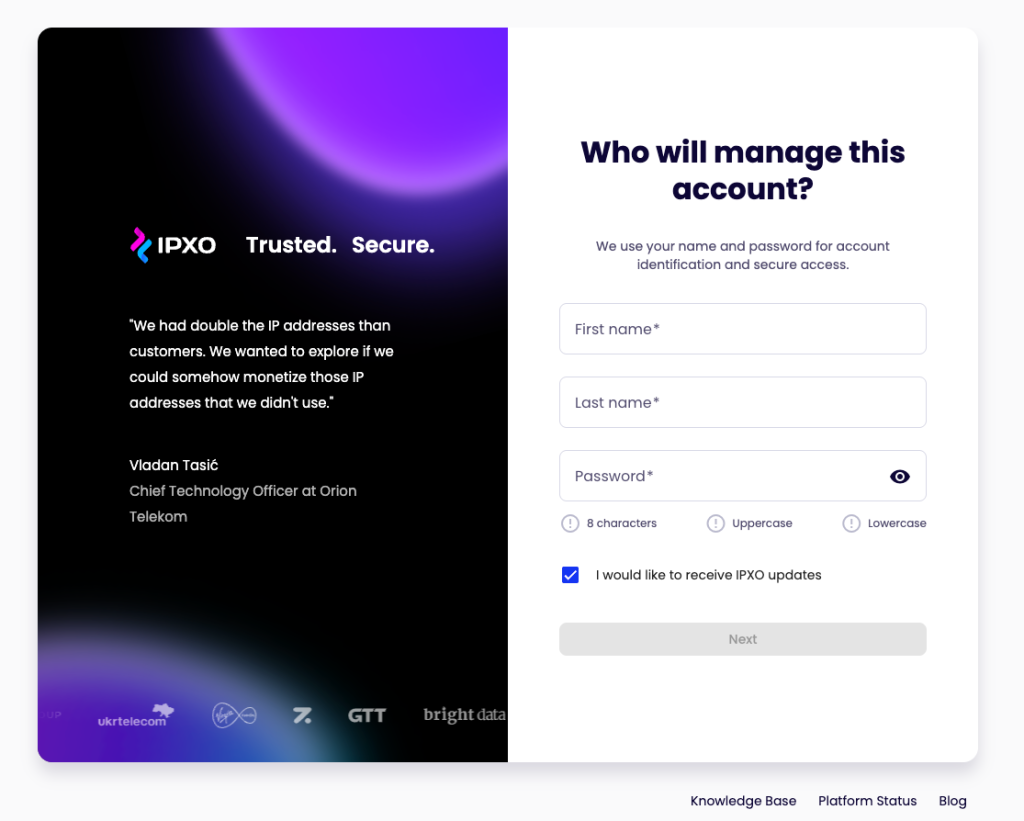
Step 3 — Enter your account details
Fill in your First name, Last name, and Password, then click Next.
Note: Your password must be at least 8 characters and include uppercase and lowercase letters.
Step 4 — Verify your email
A 6-digit verification code will be sent to your email address. Enter the code within 10 minutes and click Verify.
Tip: If you didn't receive the code, click Resend.

Step 5 — Verify your phone number
Enter your phone number and select a verification method — Phone Call or Send SMS. Once received, enter the code and click Verify.

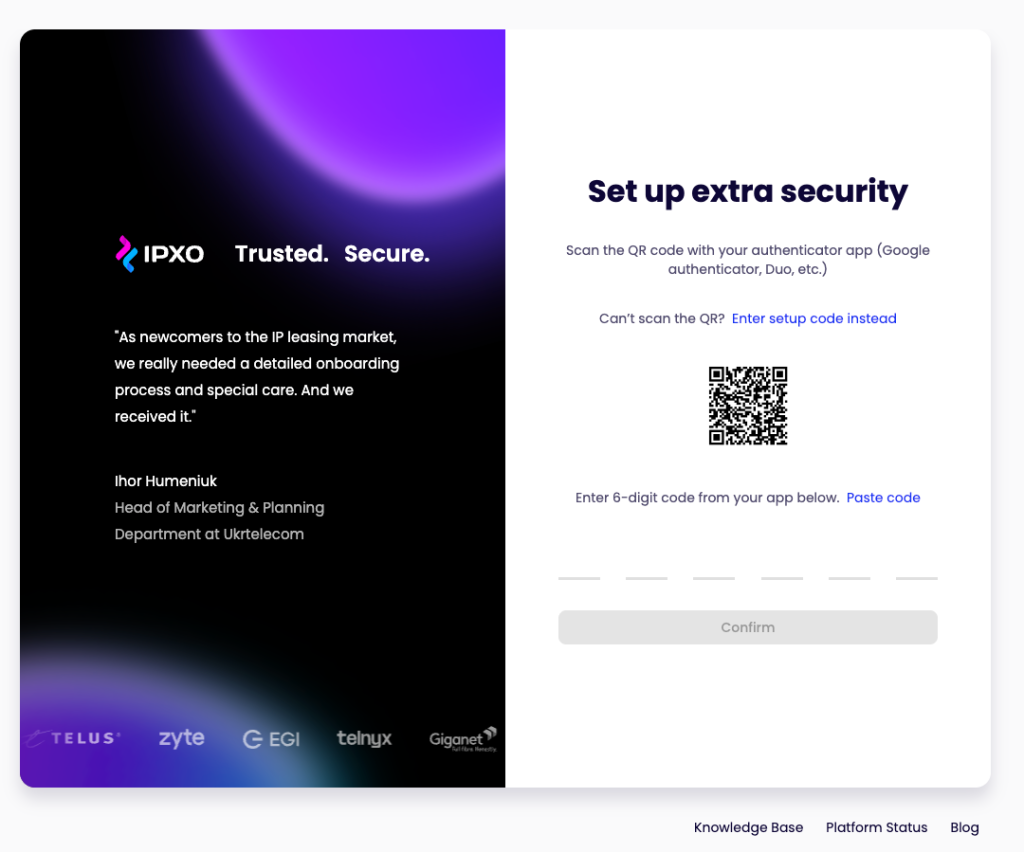
Step 6 — Set up two-factor authentication (2FA)
Scan the QR code using an authenticator app (such as Google Authenticator or Duo). Once scanned, enter the 6-digit code generated by the app and click Confirm.
Tip: If you can't scan the QR code, click Enter setup code instead to add it manually.
Step 7 — Registration complete
Your account is ready. You can now log in and start using the IPXO Portal.